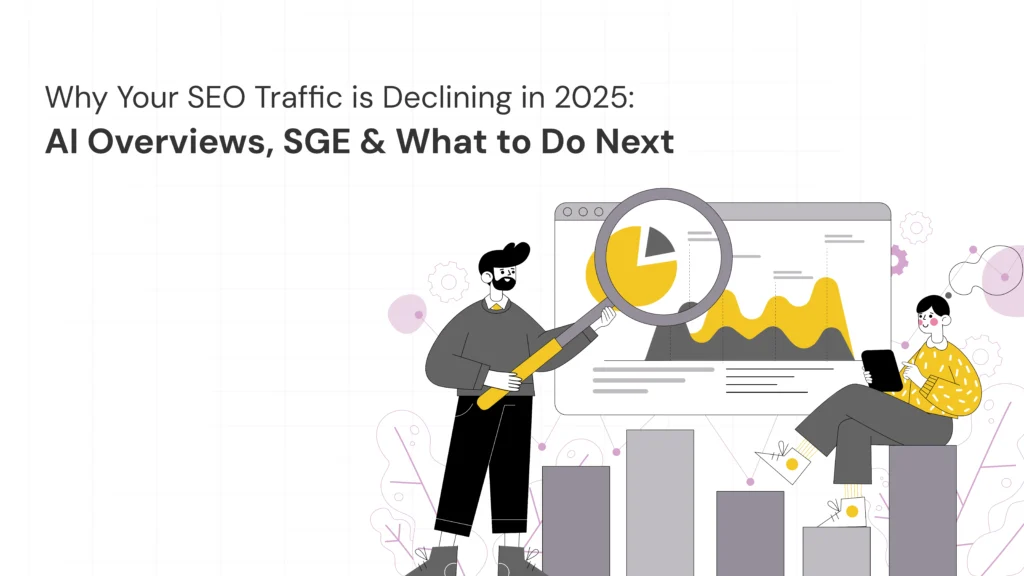
Why Your SEO Traffic is Declining in 2025: AI Overviews, SGE & What to Do Next
Understanding the SEO Traffic Decline in 2025 In 2025, the search environment has undergone a significant shift. Backlinks, keywords, and fresh content are no longer the only components of traditional SEO. Instead, Google’s AI Overviews and Search Generative Experience (SGE) have transformed how users discover information. August 26, 2025 Ayesha J 10:00 am In 2025, the search environment has undergone a significant shift. Backlinks, keywords, and fresh content are no longer the only components of traditional SEO. Instead, Google’s AI Overviews and Search Generative Experience (SGE) have transformed how users discover information. Where websites once dominated the first page, AI-generated summaries now provide direct answers. For companies in all sectors, this translates to fewer clicks, fewer impressions, and a noticeable SEO traffic decline in 2025. Brands need to adjust if they want to remain relevant, which includes understanding why SEO traffic is declining and how to secure their position in this AI-driven ecosystem going forward. What is AI Overview and How Does It Affect SEO? Google’s AI Overview is a feature that summarizes search results in natural language at the top of the SERP. Instead of scrolling, users instantly see a synthesized answer. Impact: Websites lose visibility as AI summaries reduce the need to click through. Shift in Value: Content is no longer just about ranking—it must be authoritative enough to be cited in AI snippets. Opportunities: Brands that create context-rich, trustworthy, and unique perspectives can still get featured in AI responses, driving credibility if not always clicks. Pro Insight (Experience + Expertise): As a content strategist observing multiple industries, I’ve seen businesses that optimize for conversational queries and E-E-A-T signals gain traction even when traffic metrics dip. The Role of SGE in Traffic Drop The Search Generative Experience (SGE) is Google’s integration of generative AI directly into search. It reimagines the search journey: Fewer traditional SERP listings → organic clicks decline. More conversational search paths → users refine queries with AI instead of exploring sites. Enhanced personalization → search results vary widely per user, making generic ranking harder. While many brands see this as a threat, SGE also offers new SEO opportunities—including optimizing for entities, structured data, and semantic relevance. Common Reasons for SEO Traffic Decline in 2025 ven beyond AI, several factors contribute to organic traffic drops: Content Saturation – many blogs on the same subject without unique value. Poor Technical SEO – Slow load time, weak core web veil and mobile UX defects. Extreme dependence on keywords is now a reference to reference, not just keyword density. Lack of Topical Authority – Brands without niche expertise fail to earn trust signals. Backlink quality decreases – spammy or old link profiles damage reliability. To beat the SEO traffic decline in 2025, brands must mix official history and technical skill with human experiences. How to Regain and Future-Proof Your SEO Traffic This is how the business can be beneficial and bloom in 2025: Optimize for AI overview: Use structured data, FAQ scheme, and official quotes. Build EEAT Content: Show the first-hand experience, expertise, and unique case study. Utilization of long shape: AI Summons favors condensed knowledge, so deep dives, case studies, and original insights make AI unable to repeat completely. Notice the brand visit: Strengthen brand recognition so that users only find their name directly instead of trusting Google completely. Diversify the channel: Not only disposed on organic traffic – be aware of social SEOs, newspapers, and partnerships. The Future of SEO Beyond 2025 SEO is not “dead.” It is evolving. In fact, the brands that adapt now will enjoy sustainable growth. The future of SEO rests on: AI-readiness Experience-driven storytelling Consistency in delivering trustworthy digital authority The decline in organic search traffic is not an end—it’s an invitation to rethink strategy. Ready to future-proof your SEO strategy? At Kavinu Designs, we blend creativity with cutting-edge SEO to help your brand stay visible in the AI-first world. Latest Blogs Why Your SEO Traffic is Declining in 2025: AI Overviews, SGE & What to Do Next 26 Aug 2025 Top 10 Digital Products with the Best Onboarding Experience in 2025 22 Aug 2025 How to Run a UX Audit for Your App or Website in 2025 (Step-by-Step) 19 Aug 2025 The UX Behind Fintech Apps That Win User Trust 13 Aug 2025 How to Build a UX Roadmap That Aligns with Business Goals 08 Aug 2025 Work With Us to Create Impactful Digital Experiences FAQ Why is SEO traffic declining in 2025? SEO traffic is declining in 2025 due to Google’s AI Overviews and SGE reducing click-through rates. Instead of clicking websites, users receive instant AI-generated summaries. How do I optimize Google’s SGE? Semantic SEO, structured data, conversational inquiries, and authoritative material supported by first-hand knowledge are key components of SGE optimization. Can businesses still grow despite AI Overviews? Yes. Businesses that invest in brand authority, trust-building, and diversified content strategies can still grow—even if raw traffic decreases. Social Share: Request a free UX + marketing audit today. Let’s build it together
Why Your SEO Traffic is Declining in 2025: AI Overviews, SGE & What to Do Next Read More »